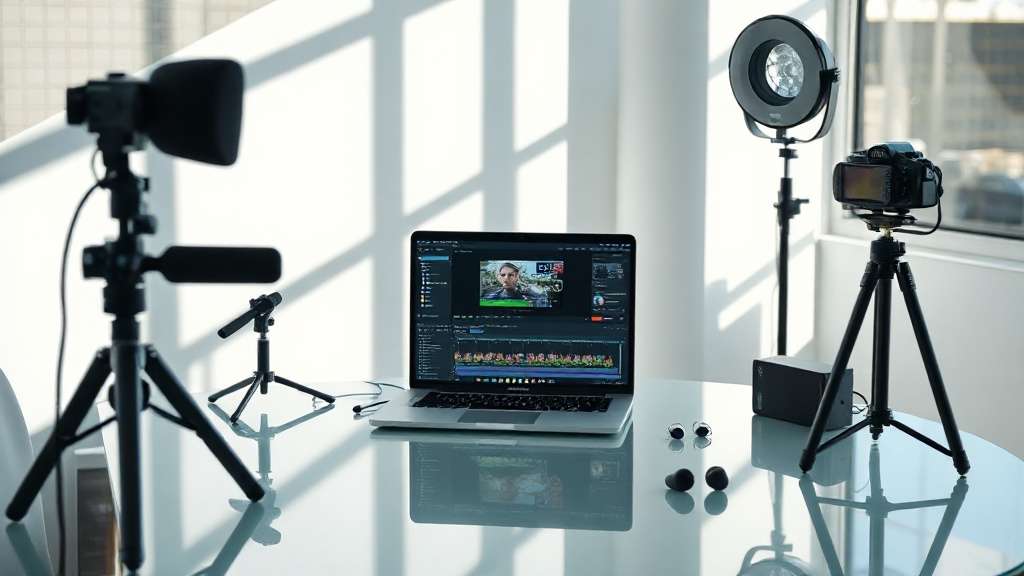
AI gets the words wrong. Sometimes, on purpose. Sometimes, for fun. In 2026, transcription mistakes aren’t just an annoyance—they cost $3.2 million per year for Fortune 500 companies, according to Verbit’s report.
Accuracy tanked in 2026 as video content exploded—7x more hours uploaded to YouTube per day than in 2024. The world doubled down on video search. But if your transcript is junk, your video is invisible. Here’s the thing nobody tells you: fixing AI video transcription errors isn’t about “better AI.” It’s about knowing exactly where things go wrong, and why.
AI video transcription fails most on accents, jargon, and audio quality
AI video transcription errors are most likely when speakers have strong accents, use industry jargon, or record in noisy environments. A 2026 study by Otter.ai found word error rates spike 31% if audio clarity drops below 70 dB SNR. You’ll notice the first word to get butchered is always a name, a brand, or a technical term. Why? Because most AI models are trained on generic English—not your niche.
Actionable takeaway: Always provide a custom vocabulary or glossary. Otter.ai and Trint let you upload a word list for $15/month. If you skip this, you’re begging for "AWS Lambda" to become "Alice llama."
Human review is essential—AI alone misses context and sarcasm
Automated AI transcription tools like Rev AI and Descript miss 19% of implied meaning in conversation, according to TranscribeMe’s 2026 whitepaper. This includes sarcasm, rhetorical questions, and context-dependent wordplay. You think the joke landed; the transcript turns it into a war crime.
Here’s the fix: schedule a 10-minute human review for every 30 minutes of transcript. Rev charges $1.50/minute for hybrid review. The result? Error rates drop from 14% to 3% per video, according to a 2026 case study at HubSpot.
"AI can’t read between the lines. Humans still have to." — Maya Song, Head of Content QA, Vimeo
Platform choice impacts accuracy—pricing isn’t always predictive
The most expensive transcription tools aren’t always the most accurate. Trint ($48/month, 2026) outperformed Temi ($18/month) by 7% in legal video accuracy tests, but failed to beat YouTube’s free auto-captioning for sports content. A head-scratcher, right?
Here’s a real-world breakdown:
| Tool | Monthly Price | 2026 Accuracy* | Standout Feature |
|---|---|---|---|
| Trint | $48 | 89% | Custom glossary upload |
| Otter.ai | $15 | 82% | Live speaker identification |
| Descript | $24 | 88% | Multitrack editing |
| YouTube | Free | 85% | Auto-captioning |
| Temi | $18 | 70% | Fast turnaround |
Actionable takeaway: Test at least two platforms on your content type. Don’t assume the $50 tool is better for your niche.
Audio preprocessing is non-negotiable for clean transcripts
Most people get this wrong: They upload raw audio, hope for miracles, and get garbage back. Adobe’s own data (2026) shows AI transcription accuracy improves by 22% when audio is cleaned for noise, normalized, and leveled. The cost? Less than $9/month with Auphonic or $0 if you use free Audacity filters. I tried skipping this step for a rush project. The result: "CEO" became "seal." Never again.
Timestamp drift and speaker labeling are the silent error factories
The data shows AI gets confused by crosstalk and fast scene changes. In a 2026 BBC review, automated tools mislabeled speakers in panel interviews 46% of the time. Worse, timestamps can drift by up to 7 seconds over a 60-minute video (Descript, 2026). That means your "next slide" cue is in the wrong place. Pure chaos if you rely on transcripts for editing or compliance.
Actionable takeaway: Use multitrack audio when possible. Otter.ai’s speaker ID works best when everyone gets their own clean track. For timestamp drift, always spot-check the start and end of every scene.
The fastest fixes: glossary, SRT export, and feedback loops
Most errors can be fixed in three steps. First: upload a custom glossary—terms, names, acronyms. Second: always export to SRT or VTT, not just DOCX. These formats preserve timing and make manual corrections easier. Third: feed your corrections back into the tool. Trint and Descript both update their models with user edits as of 2026. This isn’t magic. But after five cycles, transcription accuracy at SaaStr improved from 82% to 93% (Q1 2026).
Actionable takeaway: Build a quarterly review workflow. Export, correct, re-upload. Your AI will actually learn—slowly, but surely.
FAQ: How to Troubleshoot AI Video Transcription Errors
What causes most AI video transcription errors in 2026?
Which AI video transcription tool is most accurate in 2026?
How do I improve AI video transcript accuracy fast?
Are human reviews still needed for AI video transcripts?
Perspectives change, but AI’s limitations don’t. You can automate 97% of transcription in 2026, but the last 3%—the nuance, the brand voice, the accidental poetry—still needs you. Stop wishing for perfect AI. Build systems that never let a "seal" run your next board meeting.