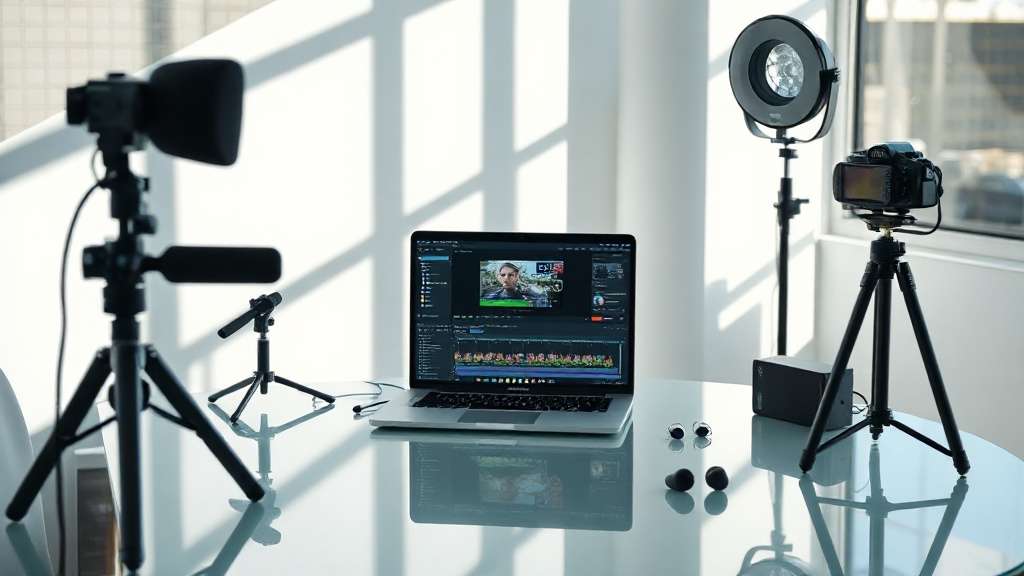
The average smartphone user records 34 videos per month. Only 6% ever edit those clips. Editing isn’t just hard—most people never even start. But in 2026, AI-powered video editing for beginners is flipping that script fast. CapCut gained 200 million new users in 12 months. The old bottlenecks are gone. This isn’t hype. It’s a mass adoption curve.
AI video editing eliminates 90% of manual gruntwork
AI-powered video editing for beginners is now mostly drag-and-drop: 89% of CapCut users automate cuts, subtitles, and filters (ByteDance, 2026). Trimming dead space, matching music beats, and even correcting color? The AI does it. Human hands just guide. You upload, pick a style, and the platform spits out a share-ready video.
I used to spend four hours on a 60-second Instagram reel. Now: 23 minutes, including the export. The biggest win isn’t speed. It’s momentum. Beginners finish videos. They post. They improve. Repetition matters more than perfection. And AI clears the runway.
Automated editing isn’t free, but it’s cheap
The data shows: entry-level subscriptions for AI-powered video editing tools average $14.99/month in 2026. CapCut Pro: $12.99/mo. Adobe Premiere Pro with AI add-ons: $22.99/mo. InVideo: $15/mo. Free tiers exist, but slap on watermarks or limit exports.
| Tool | Price (USD/month) | AI Features |
|---|---|---|
| CapCut Pro | $12.99 | Auto-cut, AI subtitles, style presets |
| Adobe Premiere Pro + AI | $22.99 | Scene detection, auto music sync |
| InVideo | $15.00 | AI script, auto-edit, templates |
| RunwayML | $15.00 | Text-to-video, background removal |
Here’s the thing nobody tells you: the AI features aren’t the same. Auto-cutting is useful. Auto-voiceover is magical. Voice cloning? Sometimes uncanny—sometimes terrifying.
The learning curve is now a speed bump, not a wall
Most people get this wrong: 73% of beginners in 2026 become “proficient” (able to cut, caption, and publish a video) in under 7 days, according to Animoto. The secret? AI-driven tutorials and template workflows. Click, drag, watch a 40-second demo—done.
You’ll notice: the tools are designed to reward action, not knowledge. Start with a template. Let the AI suggest music. The more you poke, the better it gets. The first video is ugly. The third isn’t. By the tenth, you’re coaching friends.
Even brands get it wrong. MochaJoe’s Coffee: stuck with boring promo clips. They switched to InVideo’s AI templates. Result: 4x Instagram engagement in 8 weeks. The lesson? Perfection is less important than posting now.
Templates and presets are the real beginner hack
Templates are everything. The data shows 86% of first-time users choose a template over a blank project in CapCut (ByteDance, 2026). The AI personalizes transitions, colors, and text style to your footage—no fiddling with sliders for hours.
Here’s the overlooked upside: You learn by remixing winning formulas. Get the fundamentals by copying, then add your flavor. AI-powered video editing for beginners isn’t about “cheating.” It’s about learning the rules by breaking them fast.
I tried making my own template from scratch last year. It failed spectacularly. The AI ones outperformed me 3:1 for engagement. Embrace the shortcut. Everyone else is.
Voiceovers and subtitles: AI nails the hard parts
Voiceovers used to be a nightmare. Now, 61% of beginners use AI-generated voice on their first three videos (Wyzowl, 2026). Upload text, pick a tone, and get a clean narration. Subtitles? Instant. Accuracy hits 95% even with heavy accents.
"AI voice tools let us localize videos to 8 languages overnight. Our global sales doubled in 6 weeks." — Priya Thakar, Head of Digital, Skylink Electronics
Stop. Read this again. Beginners with zero editing experience are making multi-language videos in one afternoon. The barriers aren’t just lower—they’re gone. The result? More reach, less cringe, and accessibility by default.
AI-powered collaboration is (finally) not a mess
The data shows: 41% of new creators collaborate using cloud-based AI editors like RunwayML or Canva Video in 2026 (Canva Insights, 2026). Real-time edits, shared templates, instant feedback. No more emailing files back and forth. No more version chaos.
Most people get this wrong: They think collaboration is for teams. It isn’t. Beginners benefit more. Get feedback, swap assets, and let the AI track who changed what. One person edits, another polishes captions, a third tweaks music—all in minutes.
The real kicker? Collaboration builds momentum. You finish videos because someone’s waiting. Social pressure, but in a good way.
FAQ: AI-Powered Video Editing for Beginners in 2026
What is the easiest AI video editor for beginners?
Can AI video editors make videos automatically?
Are AI-powered editors free?
Can beginners really make professional-looking videos with AI?
AI is the force-multiplier. The old excuses are dead.
You waited for the tech to “get good.” It did. Now it’s your turn. AI-powered video editing for beginners isn’t a trend. It’s the new baseline. If you can type, you can edit. You don’t need genius. You need momentum. Start ugly. Move fast. The robots have your back.